Add your items
Upload PNG, WebP, or JPG images, or paste a list of names.
 TierCanvas
Upload images or paste text, customize your tiers, and start ranking.
Drag an item, or select it and choose a tier.
Upload PNG, WebP, or JPG images, or paste a list of names.
Add or rename tiers. Drag items, or select an item and choose its tier.
Keep a version in this browser or download your image. Use Focus to present.
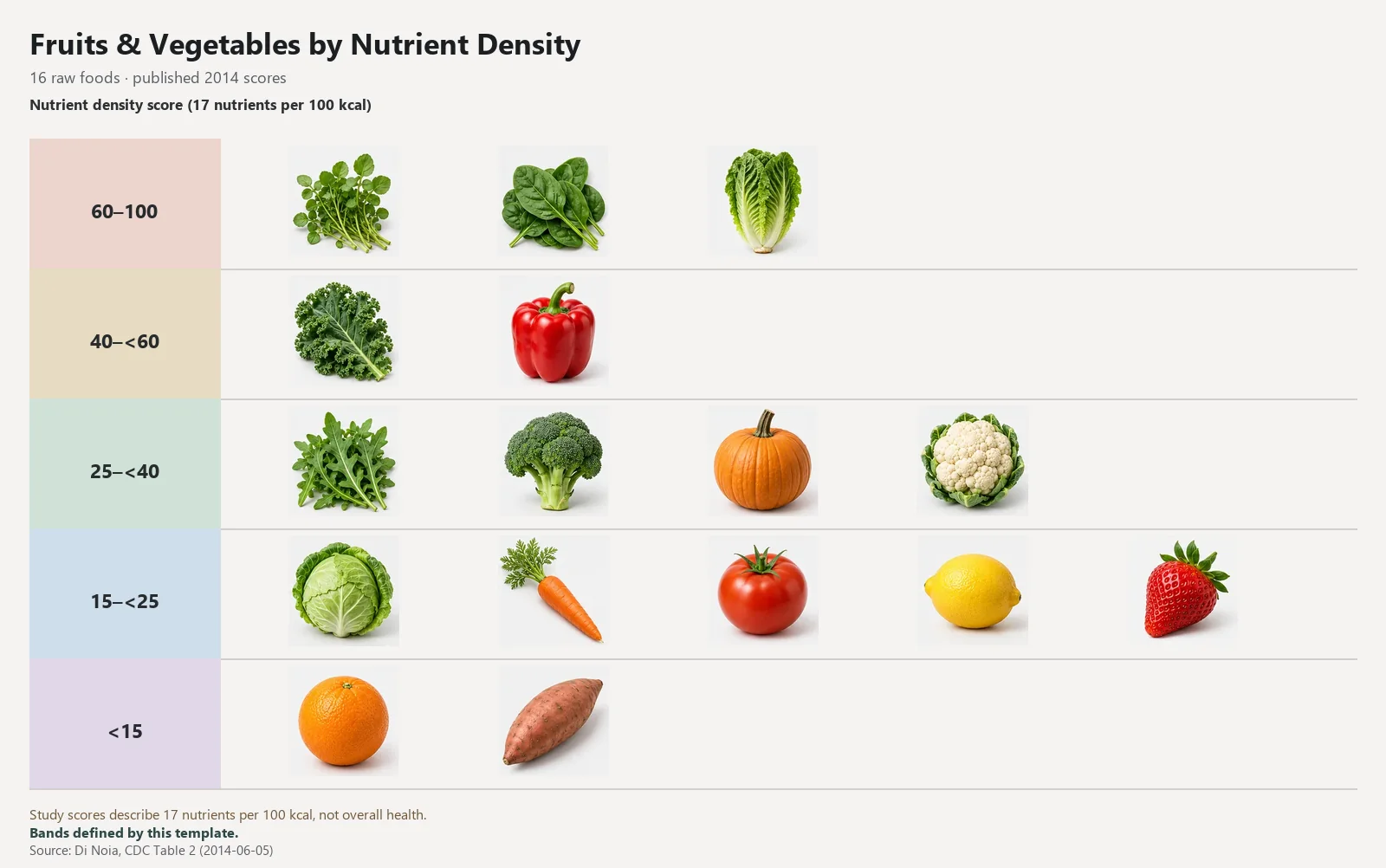
16 raw foods · published 2014 scores
Study scores describe 17 nutrients per 100 kcal, not overall health.
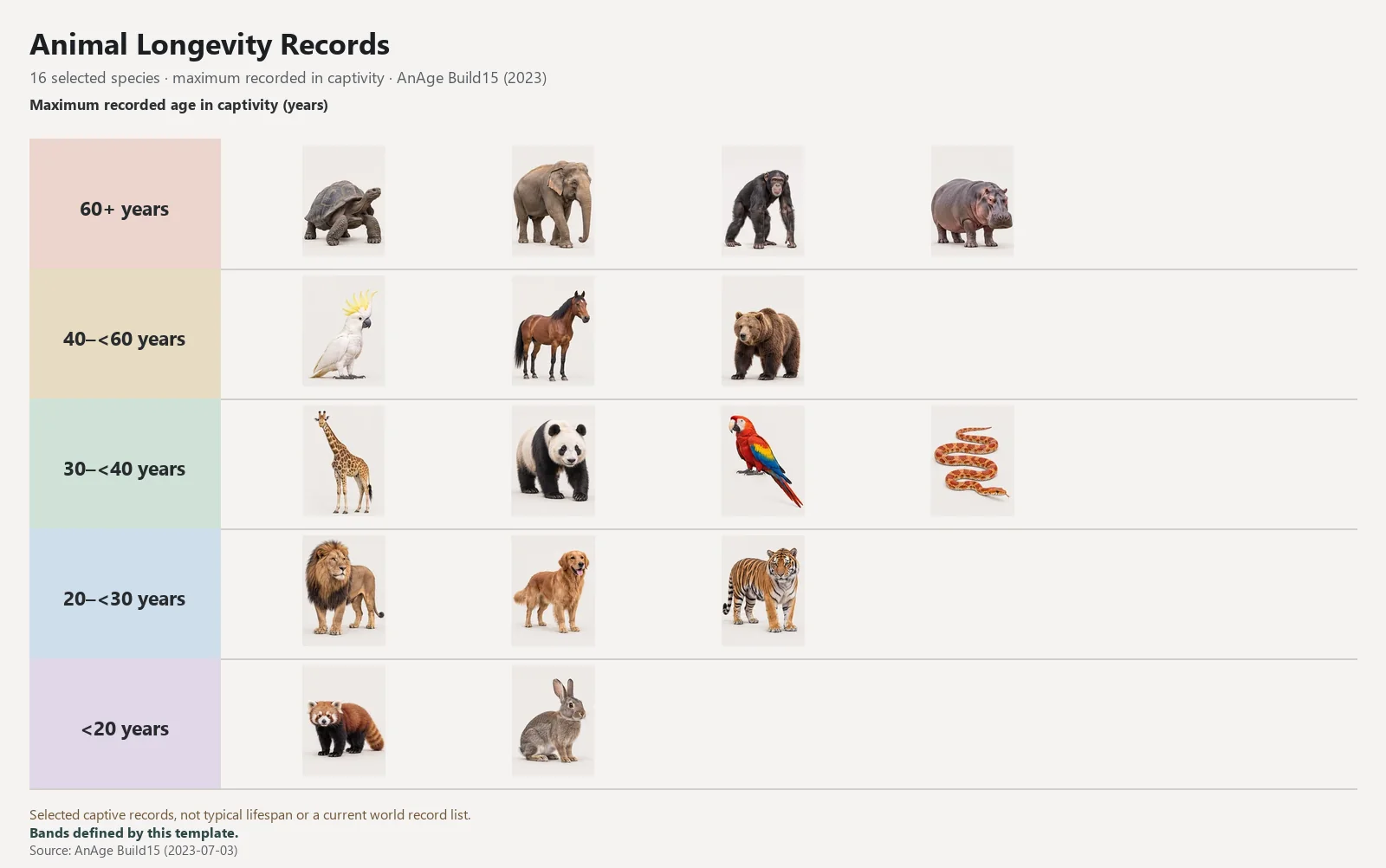
16 selected species · maximum recorded in captivity · AnAge Build15 (2023)
Selected captive records, not typical lifespan or a current world record list.
Batch upload PNG, WebP, or JPG images and reuse them in this browser.
Paste one name per line and start ranking without images.
Five tiers are just a starting point. Preview numbered names before applying.
Add an attribute, set tier ranges, and review the result before applying it.
Yes. Upload PNG, WebP, or JPG files. They stay in your browser; they are not uploaded to a server.
Choose Paste text and enter one item per line.
Yes. Use Add tier, or open Customize to generate numbered tier names.
Yes. Tap an item, then tap a tier to place it. You can also press and hold to drag.
When browser storage is available, changes save automatically in this browser. Download PNG directly, or choose WebP or JPG from the format menu. Save a version in My Library to keep an earlier result.
The image and text maker, local saving, and PNG, WebP, and JPG downloads are free. No account is required.